Talos is my Homelab

Kubernetes has always been a complex beast. How could it not be? The entire operating system userland layer, is abstracted from the hardware. Over the years there have been a number of solutions to provide the same scalability and redundancy, notably: Docker Swarm (vomitS), Nomad, Mesos, etc. and they all have fallen short in some capacity. Kubernetes on the other hand, has multiple implementations and runtimes, an independent governing body beyond the control of any one company, and, for good or for bad, a single machine parsable configuration syntax. It was the “all under one machine parsable syntax” that finally sold me on becoming a full Kubernetes zealot. Sure, Terraform is my true theology, but without a last mile CM to handle operating system details, I can’t go from PXE to POST all in one go. I’d have to use either Ansible or Cloud-init to get something close to a full turn-key solution. Application Developers would be fine just getting things set up and moving on, but for a Systems Developer, this is heresy. I want a fully defined, declarative IaC process to get from bottle to throttle.

Enter Talos, the minimal Kubernetes OS. The first time I heard of Talos, I dismissed it outright. No ssh, no sale. However, that was just me getting old. “There was a time before ssh”, I remembered, “maybe they’ll be a time after”. What’s the point of having a homelab if I’m not willing to risk trying something new? Ok, can I PXE boot it easily? Is it an option in netboot.xyz or am I going to have to copy kernels and initrams?
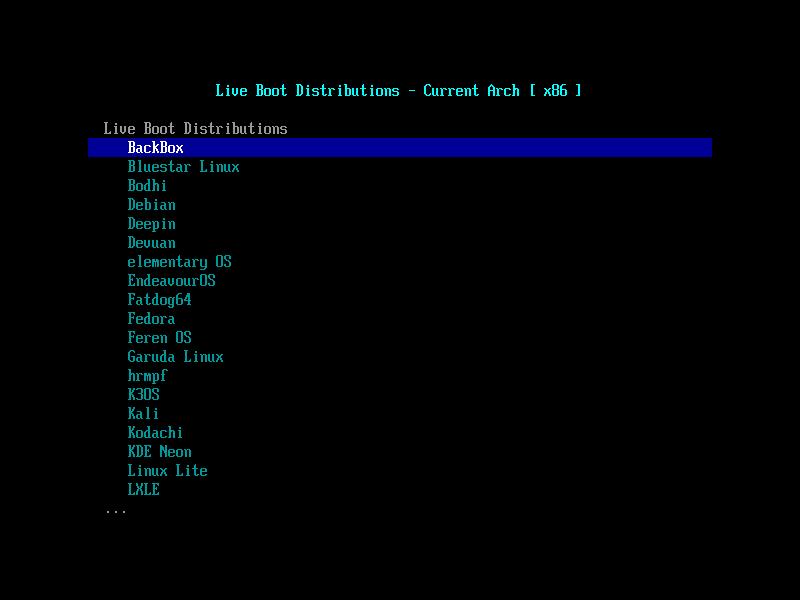
Yep, netboot has it as a menu option. Less than 100mb; it’s fairly svelte too. So far so good. Does it have a Terraform Provider? Whoa! yes, yes it does.
https://registry.terraform.io/providers/siderolabs/talos/latest/docs
Ok, it’s time to boot this combo and get to work. With Kubernetes, I can have a full, reproducible homelab in less than a handful of commands… at least in theory. I’ve never had an OS that I could bootstrap remotely with Terraform before. The Talos people did their homework though, it boots into a failsafe mode that allows provisioning with locally generated credentials. After working out what patches I need, the initial provisioner does a good job of prepping for a permanent on disk installation, no reboot necessary. One caveat, at the time of this writing, the provider isn’t quite mature enough to handle an in place upgrade to add custom core extensions. This is being addressed, and temporarily issuing one post-bootstrap talosctl command is not a deal breaker.
resource "talos_machine_secrets" "machine_secrets" {}

data "talos_client_configuration" "talosconfig" {
  cluster_name         = var.cluster_name
  client_configuration = talos_machine_secrets.machine_secrets.client_configuration
  endpoints            = [var.talos_cp_01_ip_addr]
}

data "talos_machine_configuration" "machineconfig_cp" {
  cluster_name     = var.cluster_name
  cluster_endpoint = "https://${var.talos_cp_01_ip_addr}:6443"
  machine_type     = "controlplane"
  machine_secrets  = talos_machine_secrets.machine_secrets.machine_secrets
}

resource "talos_machine_configuration_apply" "cp_config_apply" {
  client_configuration        = talos_machine_secrets.machine_secrets.client_configuration
  machine_configuration_input = data.talos_machine_configuration.machineconfig_cp.machine_configuration
  count                       = 1
  node                        = var.talos_cp_01_ip_addr
  timeouts = {
  	create = "30m"
  }
  config_patches = [
    yamlencode({
      machine = {
        install = {
          disk = "${var.disk}"
        }
      },
      cluster = {
      	allowSchedulingOnControlPlanes = true
      }
    })
  ]
}

resource "talos_machine_bootstrap" "bootstrap" {
  depends_on           = [ talos_machine_configuration_apply.cp_config_apply ]
  client_configuration = talos_machine_secrets.machine_secrets.client_configuration
  node                 = var.talos_cp_01_ip_addr
}

data "talos_cluster_health" "health" {
  depends_on           = [ talos_machine_configuration_apply.cp_config_apply ]#, talos_machine_configuration_apply.worker_config_apply ]
  client_configuration = data.talos_client_configuration.talosconfig.client_configuration
  control_plane_nodes  = [ var.talos_cp_01_ip_addr ]
  endpoints            = data.talos_client_configuration.talosconfig.endpoints
  timeouts             = {
  	read               = "30m"
  }
}

resource "talos_cluster_kubeconfig" "kubeconfig" {
  depends_on           = [ talos_machine_bootstrap.bootstrap, data.talos_cluster_health.health ]
  client_configuration = talos_machine_secrets.machine_secrets.client_configuration
  node                 = var.talos_cp_01_ip_addr
}

output "host_node_name" {
  value = data.talos_machine_configuration.machineconfig_cp.cluster_name
}

output "instructions" {
  value = "Use 'tofu output -raw talosconfig > ~/.talos/config', and 'tofu output -raw kubeconfig > ~/.kube/config' to add values to file \nAlso: 'talosctl -n 192.168.8.5 upgrade --preserve --image factory.talos.dev/installer/71b10a477d4e835e84cc42b55559e84366299ad4f2b3a139f7302c4e94be5bdc:v1.7.6' <--get your correct image, with extensions at https://factory.talos.dev/"
}

output "talosconfig" {
  value = data.talos_client_configuration.talosconfig.talos_config
  sensitive = true
}

output "kubeconfig" {
  value = talos_cluster_kubeconfig.kubeconfig.kubeconfig_raw
  sensitive = true
}
Mission accomplished. Next step; how’s it perform as a Kubernetes cluster? Turns out security is a bit tighter than Kurl, and, of course, there’s no quick fix load balancer or services. It’s bare bones Kubernetes. After adjusting security per namespace for storage and network, you’re pretty much free to use it as any other cluster. PV Storage could be a little friendlier, but what else is new? Water is wet.
After a couple of reinstalls, some guesswork with vague documentation, and dealing with the usual Kubernetes problems, I have a working Terraformed PXE booted services box. Thinking all the way back to my first homelab 17 years ago, this was absolutely impossible. I had to babysit a Cisco ASA at work, we barely started using software raid, and my office was shared with a 4 post full rackmount. My homelab mimicked this:
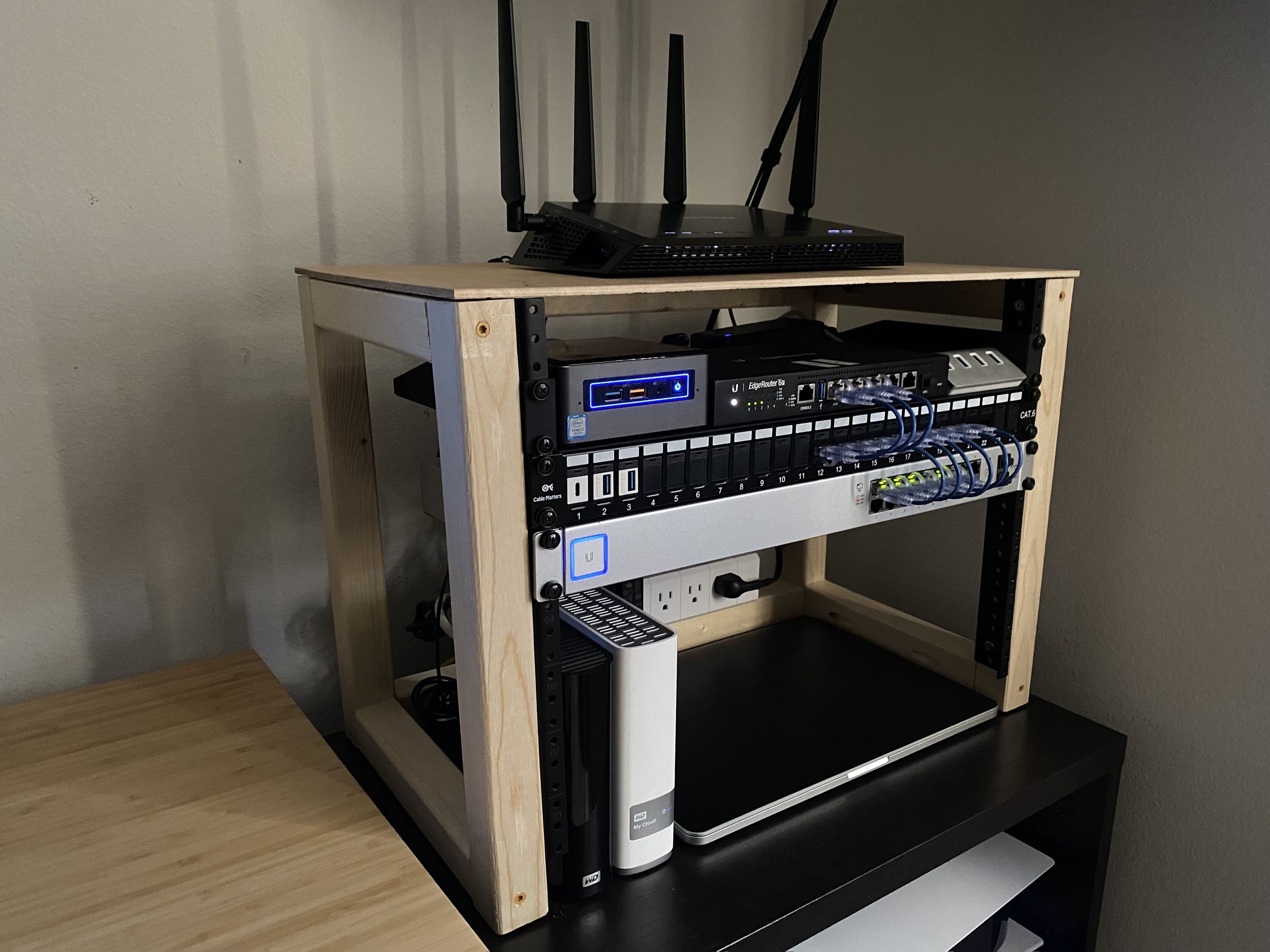
I thought it was the coolest thing ever. Then again, I thought College Emo Butt Rock was cool back then too. Times change. Collecting hardware isn’t my thing. I’m down to a mostly stock OpenWRT, store bought GL-Inet router (with PXE boot), and a fanless Celeron NUC.
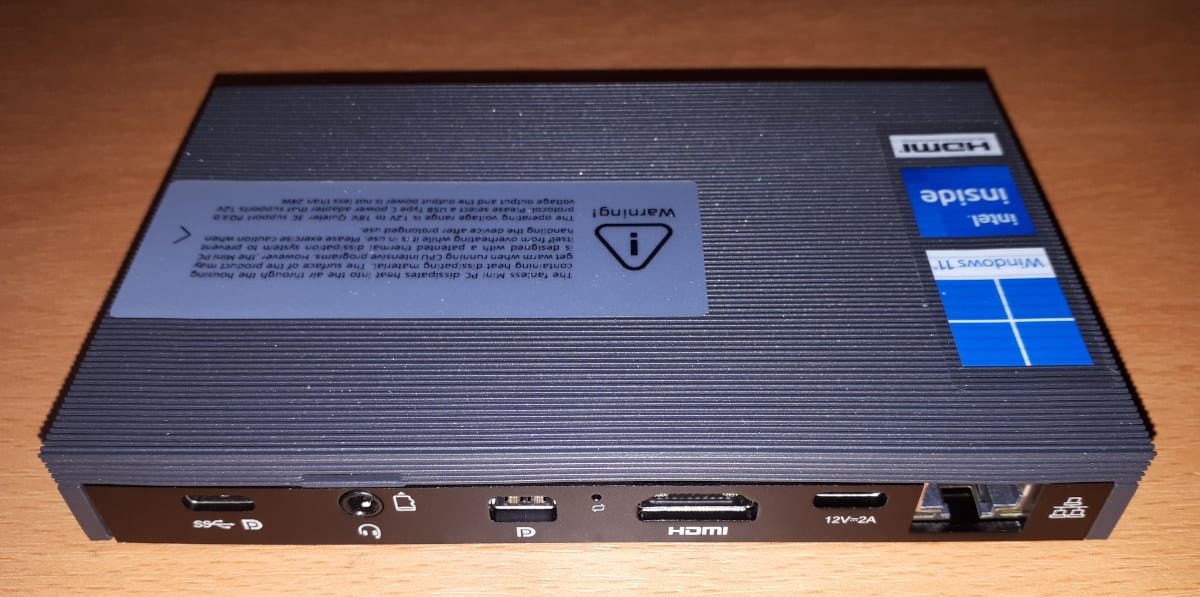
Is it perfect? Absolutely not. This was way more work then I set out to do. Frankly, if you’re a Pythonista or a CRUD developer, this is just going to annoy you without much benefit. I spent two days working through what Rocky Linux plus Kurl.sh provided me in about 5 minutes of work. The documentation is rough, patchy, and occasionally points to Github tickets and “this worked for me” dead ends. There is, however, a sea change coming. You can provision Kubernetes from scratch on a Raspberry Pi or NUC for less than $150 Dollars. I sincerely hope traditional Linux distributions are still utilized, but Redhat and Deb/untu are a lot less meaningful for me than they used to be. For me, it’s an Arch-alike on the laptop, and Kubernetes / Alpine on the server… which reminds me…
I didn’t have to give up my shell access after all
https://github.com/kvaps/kubectl-node-shell
My nodeshell Alpine start script creates a container that clocks in at about 60mb with all my typical utilities included
This setup is going to remain permanent. I don’t have a convincing argument to return to a traditional server OS userland. Deterministic code, directly from bootstrap. It’s where we all need to be.
Talos IS my Homelab